Pause Cat · a screen pet for Android

A cat for your home screen.

Pause Cat is a free screen pet for Android: a cartoon cat that lives on your home screen and walks onto apps like Instagram or TikTok when you stay too long. You can leave any time.

  • Free
  • No account
  • No ads
  • No AI features
  • Leave any time

How it works

  1. Open your feed

    Pick the apps you lose time in and a limit: 5, 10, 15 or 30 minutes. Then forget about it until the cat shows up.

  2. 1A cat steps in

    Stay past your limit and a cartoon cat walks onto your screen, right over the app.

  3. 2It gets cozier

    Stay longer and it sits on your feed, taps your screen, and finally naps on it.

  4. 2Then it naps

    "Leave app" and a snooze are always one tap away.

  5. 3Leave, and it trots off

    Leave, and the cat leaves too, happy. Come back later and it might bring a little gift.

FreeNo accountNo adsNo AI featuresLeave any timeFreeNo accountNo adsNo AI featuresLeave any time

What it won't do

  • Lock you out.

    Not unless you turn on the optional hold, and then only for a few seconds, with "Leave app" one tap away. A snooze is always there, and the status and navigation bars always stay yours.

  • Get in your way.

    On your home screen it's see-through, so your taps go right through it.

  • Read your screen.

    It only checks which app is open and for how long, and that stays on your phone.

  • Ask for an account.

    You open it and pick your apps; there's nothing to sign up for.

  • Show ads or use AI.

    There are no ads and no AI features, and the extras are one-time purchases.

A pet on your screen

Your cat lives on your home screen. It strolls, stretches, makes biscuits and naps, and your taps go right through it. Turn see-through off and you can pet it. Go on, try it.

  • Pet it. It purrs.

    You feel a soft buzz. Tickle it, or pick it up and it hangs on to your finger. With Pro, it can also sit on the glass for a few seconds so a swipe goes nowhere.

  • It lives on your home screen

    It's there most times you go home, and the widget says when it's napping. It also drops by in the apps you pick, at the times you pick. Call it any time from the widget.

  • Little gifts for time away

    Gifts, fish coins for rooms and toys, a diary of every moment you've seen, and outfits to unlock.

Six cats

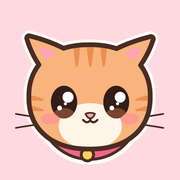
Mango, the ginger cat, is free forever. Adopt Pebble, Nori, Mochi, Biscuit and Miso one at a time or as a family. The cats you own come along as friends and pile up together for the big nap.

  • Mango the ginger cat

    Free forever. Playful, a bit clingy.

    Free
  • Pebble the grey tabby

    Calm and cozy. Naps like a pro.

    One-time
  • Nori the black cat

    A little mischief in every step.

    One-time
  • Mochi the calico

    Bouncy, cuddly, always up to play.

    One-time
  • Biscuit the tuxedo cat

    Devoted and dapper. Never far away.

    One-time
  • Miso the Siamese

    Chatty, cuddly, follows you everywhere.

    One-time

Free to download, no ads, no account, no subscription. Mango, two watched apps, every visit, leaving and snoozing, days off, gifts, fish and the diary are free. Pro, a one-time purchase, unlocks unlimited apps and the optional hold. More cats, outfits and treats are one-time purchases too.

How it compares

What each kind of screen time tool does when your time is up.

App timers (Android's Digital Wellbeing)
The app pauses for the rest of the day
Breathing pauses (one sec)
A short exercise before the app opens
App blockers
The app is blocked
Pause Cat
A cat walks onto the app and gets cozier until you leave; you can always leave or snooze

Questions

What is Pause Cat?

Pause Cat is a free screen pet for Android: a cartoon cat that lives on your home screen and walks onto apps like Instagram or TikTok when you stay too long. You can leave any time.

Is it like a desktop pet?

Yes, a virtual pet for your phone: a cartoon cat that lives on your home screen and walks over other apps. On your home screen it's see-through, so your taps go right through it.

Does Pause Cat block apps?

Not unless you turn on the hold, an optional Pro setting. Then Mango sits on the glass for a few seconds so a swipe goes nowhere, with "Leave app" one tap away and the status and navigation bars always yours. Otherwise the cat just gets in the way, playfully, and leaves when you leave.

Which apps does it work with?

Any apps you pick: Instagram, TikTok, YouTube, Reddit, games, news. Two for free, as many as you like with Pro.

How does it know when to show up?

With Android's usage access it checks which app is open, about once a second, only while the screen is on. It never sees what's on the screen.

Is it private?

No account, no ads, no AI features. Which apps you use, and for how long, stays on your phone. Purchases go through Google Play, whose billing library may send Google its own diagnostics. See the privacy policy.

Is it free?

Free to download, no ads, no account, no subscription. Mango, two watched apps, every visit, leaving and snoozing, days off, gifts, fish and the diary are free. Pro, one-time, unlocks unlimited apps and the optional hold. More cats, outfits and treats are one-time purchases too.

Does it work offline?

Yes. Your cat and your limits work without the internet; only purchases need Google Play.

Does it work on iPhone?

Pause Cat is Android only for now.

What permissions does it need?

Usage access (to know which app is open), display over other apps (to draw the cat), and notifications (for the small on-duty notification Android requires). The app explains each one before Android asks.

Can the cat visit when I haven't scrolled too long?

Yes, if you want: it can drop by to say hi in the places and at the times you pick, or never.
Meet Mango

Pause Cat is free on Google Play, and you can start without an account.

0:00 on this page
zzz